Hide your personal details
Your name, home address, email and phone number no longer appear in public WHOIS lookups.

Every domain is listed in a public directory called WHOIS. Domain privacy replaces your name, address, email and phone with the details of a privacy service, so spammers and scammers cannot find them.
Available on the extensions that allow it.
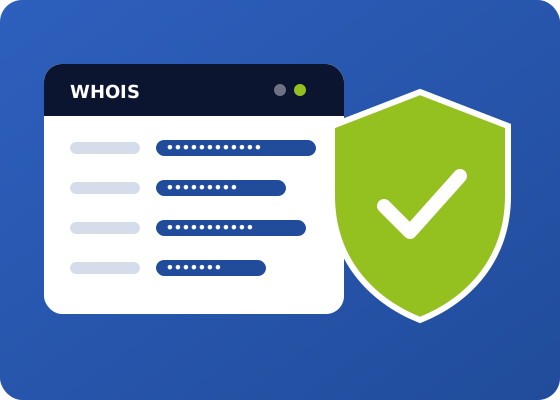
Register a new domain and add WHOIS privacy in the same order.
Your name, home address, email and phone number no longer appear in public WHOIS lookups.
Bots that collect WHOIS data to send spam, sales calls and fake offers cannot reach you.
With fewer personal details online, it is harder for scammers to pretend to be you or trick you with phishing.
Privacy only changes what the public sees. You remain the legal owner of your domain, with full control.
Your website, email and search rankings work exactly the same. Search engines do not use WHOIS data to rank websites.
Add privacy when you register or transfer a domain, or later from your Cloudoio client area.
Without privacy, anyone can look up the owner of your domain. With privacy, the public WHOIS shows the details of the privacy service instead. This is an example:
The exact text shown depends on the extension and the registry.
Check the WHOIS privacy price of each extension. Some country extensions do not allow privacy because of their own rules.
| Extension | Registration | Renewal | Transfer | WHOIS privacy |
|---|---|---|---|---|
| .com | ₹839.19 | — | — | Optional |
| .net | ₹1,007.19 | — | — | Optional |
| .org | ₹923.19 | — | — | Optional |
| .io | ₹2,939.19 | — | — | Optional |
| .store | ₹251.19 | — | — | Optional |
| .online | ₹167.19 | — | — | Optional |
Prices for one year. Taxes may apply depending on your country.
Domain privacy, also called WHOIS privacy or ID protection, hides the personal contact details of the domain owner, such as name, address, phone and email, from the public WHOIS directory. The public sees the details of the privacy service instead.
When privacy is active, the registrar shows privacy service details in the public WHOIS instead of yours. Your real details stay stored with the registrar, as the rules require, but they are not published.
Yes. If your domain is registered with Cloudoio, you can add privacy from your client area, as long as the extension allows it. If your domain is with another provider, you can transfer it to Cloudoio and add privacy in the same order.
Usually within minutes after your order is processed. Some WHOIS lookup websites keep old data for a while, so they may take longer to show the change.
No. You remain the legal owner of your domain, and search engines do not use WHOIS data to rank websites.
It works with most generic extensions, like .com, .net and .org. Some country extensions, such as .us, .es, .eu, .de or .uk, do not allow privacy or have their own rules. The table on this page shows which extensions include it.
Since GDPR, many registries hide some personal data of private owners, but the rules change from one extension and registry to another. Domain privacy gives you the same protection on every extension that allows it.
Yes. The rules require accurate owner details, and they are important to recover your domain or receive notices about it. Privacy hides them from the public, but they must stay correct.
A registrar lock blocks transfers of your domain to another provider unless you unlock it first from your client area. It protects you against unauthorised transfers and works together with domain privacy.
For most website owners, yes. It is a low-cost way to keep your personal details private, reduce spam and make it harder for scammers to target you.
Register your domain with WHOIS privacy, or add it to a domain you already have.

We have a site for your region at cloudoio.us, with local prices and language.